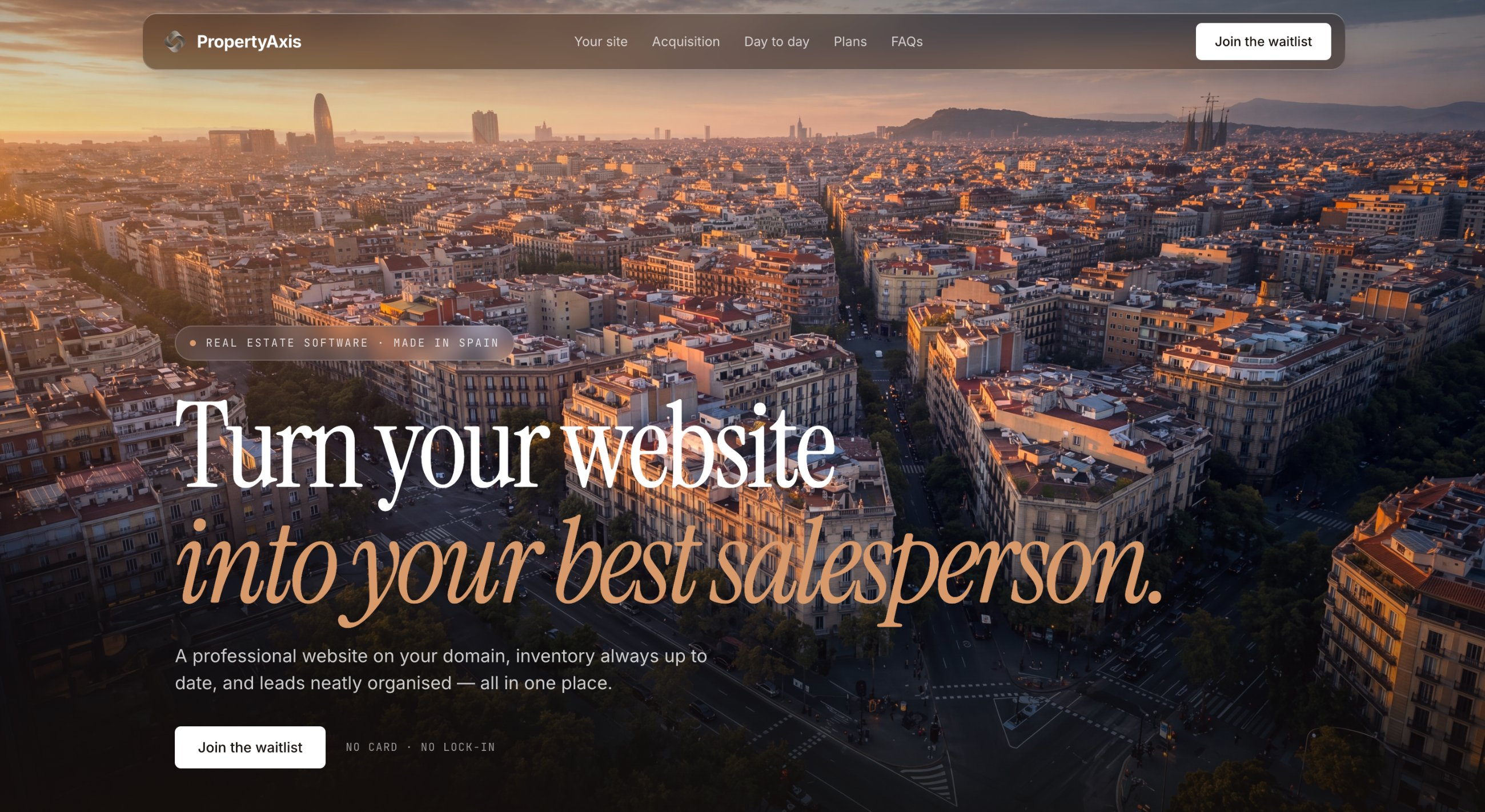
Property Axis
Built to explore what it takes to build a real multi-tenant SaaS end-to-end: custom domains, a visual editor, a multi-module AI layer, Stripe billing, and per-tenant local SEO. Live in production at propertyaxis.es.
What this is
Property Axis is not a product for sale. I built it to go through every decision a real multi-tenant SaaS forces you to make: tenant isolation, custom domains, a visual website builder, AI-assisted workflows, Stripe billing, and local SEO. It is live at propertyaxis.es, but intentionally behind a waitlist, no open signups. The demo tenants are my own test accounts. Keeping it off the open internet avoids abuse from anonymous users while still giving me a real production environment to build and validate against. A sandbox would not have surfaced any of the problems I ran into.
What each tenant gets
Each agency gets a public website and an admin panel. The public site is theirs to customise, they pick a visual preset (editorial-dark, warm-cream, and others), edit content in a block-based editor with a live preview, manage their property listings, and publish blog posts. They can use a propertyaxis.es subdomain or connect their own domain. The admin panel covers everything on the operations side: properties, leads and enquiries, blog, billing, and settings. The public site is built for local search, listing pages with JSON-LD structured data, per-tenant sitemaps, multi-language support, and AI-generated neighbourhood pages to target local keywords.
Custom domains and what they actually required
Letting agencies use their own domain sounds simple until you build it. Three things had to work together: routing, verification, and authentication. For routing, every request is matched by hostname in Next.js middleware before any page logic runs, whether it arrives at a subdomain or a custom domain, the right tenant context is loaded first. For verification, agencies add a DNS TXT record to their domain; the platform resolves it with Node's built-in DNS resolver and grants access once confirmed. No external API dependency, it is all owned in-app. The authentication problem was the least obvious: session cookies are scoped to the platform domain, so trying to log into the admin from a custom domain silently fails, the browser drops the cookie per browser security rules. The fix is a redirect to the canonical platform host for login, then back to the tenant after. It took running this in a real environment to surface the bug at all.
The website builder
Agencies can edit their public site without touching any code. The editor is a block-based system, sections can be added, removed, and reordered by drag-and-drop. Each visual preset is a full design token system (typography, colors, spacing, layout rules) that the template engine applies per tenant, so swapping presets changes the entire site look instantly. Changes are autosaved with undo/redo before committing to the database. The goal was a tool that feels closer to Notion than to a settings form, something an agency owner could actually use, not just a developer demo.
AI throughout the product
The AI layer touches three areas. For listings: when an agent uploads photos and fills in the basic property facts, the analyzer generates a full listing description in the right language, classifies each photo by type, and suggests a cover image, saving the time agents spend writing copy from scratch. For leads: the CRM has a 360 view that summarises the lead's history, scores their intent, and recommends the next action. If there is a visit scheduled within the next two hours, it also generates a pre-visit briefing with talking points and questions to prepare the agent. For SEO: a scheduled content engine generates neighbourhood and zone pages to target the local keywords agencies want to rank for. Across all three, AI calls are isolated, if one service is slow or down, the rest of the page still works.
What building this taught me
Multi-tenancy is not one problem, it is routing, data isolation, auth scoping, and infrastructure decisions all at once, and they interact in non-obvious ways. The custom domain auth bug would never have appeared in a local dev setup; it only surfaced in production. That is the main reason I keep demo tenants live: some classes of bugs only exist in the real environment. On tooling choices: Better Auth gave me full control over the session model in a way Supabase Auth did not. Cloudflare R2 made file storage nearly free for a solo project, no egress costs. For AI features, enforcing a JSON schema on every model output was not optional; free-text responses are not reliable enough to drive a workflow. And making each AI call fail independently, so one broken service never crashes the page, turned out to be the right default from the start, not an afterthought.
Screenshots
Type
Personal project
Built
2026
Stack


